Registering a TM Without Leaving Your Chair: How Digital Jurisprudence Works in Kyiv
In times when business processes accelerate every second, stacks of paper documents for brand protection look like an anachronism. We will explore how modern digital infrastructure allows you to solve the question of where to register a trademark in Kyiv without queues or unnecessary visits to government institutions.
What is SEV and Why It’s Better Than ‘Paper’ Visits to Institutions
The System of Electronic Interaction (SEV) has fundamentally changed the game for Ukrainian entrepreneurs. Below, we will compare it with traditional submission methods and determine the role of this technology in the legal life of the modern capital.
Comparison: Traditional Filing vs SEV
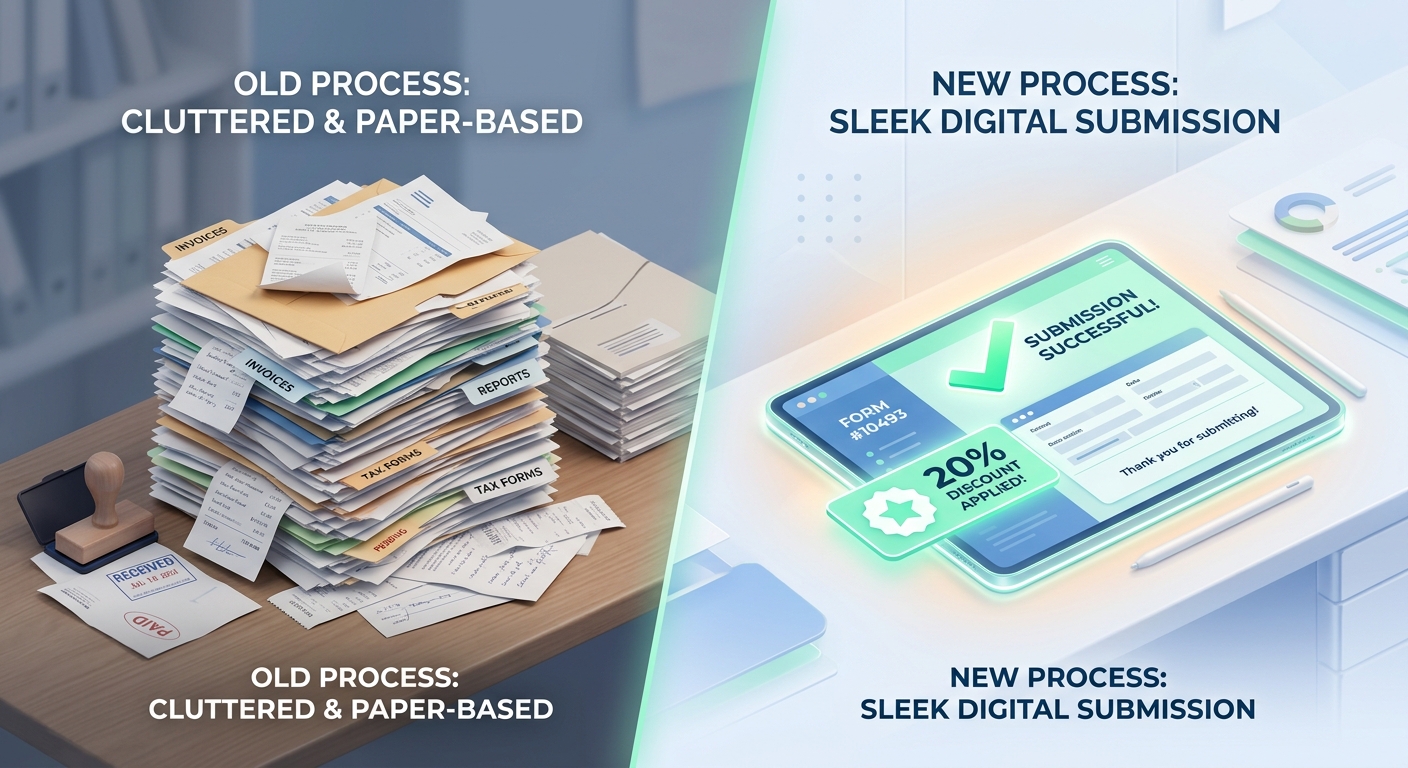
The electronic format of interaction with the IP Office (UANIPIO) has become the gold standard for the professional community, as it completely eliminates logistical barriers. Unlike paper bureaucracy, where documents can be delayed in transit, digital submission guarantees the recording of the application’s arrival date and time in real-time. In addition to speed, the state encourages the transition to “digital” financially: using specialized systems allows for significant optimization of project budget costs.
| Comparison Parameter | Traditional (Paper) Filing | Electronic Filing via SEV |
|---|---|---|
| Application Registration Speed | Depends on mail or courier services | Instant recording in the UANIPIO database |
| State Fees | Full amount according to tariffs | 20% discount on application filing |
| Risk of Document Loss | Medium (due to physical damage) | Minimal (due to data encryption) |
Choosing a remote format is not just about eco-friendliness or the absence of queues. It is primarily about accuracy: when filling out data via SEV, the system automatically checks for critical errors in the form, which minimizes the risks of receiving a refusal at the formal examination stage. Even if your business is physically located in another region, such trademark registration in Lviv or Odesa occurs according to the same transparent algorithms as in the country’s main office.
This approach allows entrepreneurs to obtain priority faster than competitors, which is especially critical in highly competitive niches. To understand how exactly this mechanism works in practice, it is worth looking at how to register a brand in the capital without unnecessary bureaucratic intermediaries. Implementing digital tools requires only basic technical preparation, which opens the door to the city’s entire legal ecosystem.
How SEV Integrates into Kyiv’s Legal Ecosystem
Digitalization does not eliminate the physical presence of the state regulator; it merely makes interaction with it invisible to your work schedule. Despite the fact that UANIPIO (IP Office) is geographically located on Lesia Ukrainka Boulevard, the System of Electronic Interaction (SEV) transforms the capital into a transparent digital hub. This means that the question of where to register a trademark in Kyiv now has an answer in your browser, although the legal examination and final decision-making still take place within the walls of the capital’s office.
For business, this creates a unique ecosystem: you get the benefits of a centralized jurisdiction without having to spend time on parking near the office or postal logistics. When we prepare documents for our clients, we use SEV as the primary communication channel, allowing us to instantly receive notifications about passing formal examination. This integration helps avoid unnecessary delays and errors, which we discussed in more detail when analyzing state fees and registration costs under remote filing conditions.
Remoteness via SEV is not just a convenience, but a security standard where every step is logged by the system and has a clear time marker. Now that we have understood the logic of the capital’s digital hub, it’s time to check your technical readiness for the process itself.
This aspect is covered in more detail in a separate article: This option: a step-by-step guide for business.
This aspect is covered in more detail in a separate article: State fees and expenses: a solution without overpayments.
Technical Checklist: What You Need to Have on Hand to Start
Preparation for digital filing requires only a few tools that ensure the legal validity of your application. Below, we will break down the role of the electronic signature and the technical parameters of graphic files for your future brand.
QES — Your Main Key to Registration
A Qualified Electronic Signature (QES) is the only way to verify your identity in SEV without a physical signature on paper. According to the Law “On Electronic Trust Services,” a QES has the same legal force as a handwritten signature on a form. Without this digital key, you cannot file an application with the IP Office, as the system simply will not accept an unsigned package of documents. This is critical for establishing priority, as the filing date is counted from the moment the signature is successfully applied and the files are sent to the database.
Today, you can obtain a QES in minutes through the ACSPs of major banks, the Diia app, or any qualified electronic trust service provider. Typically, the validity period of such a signature is one or two years, so be sure to check its status before starting. In practice, we often see errors when a signature is issued to an individual, but the company is listed as the owner in the application—in such cases, the system may issue an error at the formal document verification stage.
Practical advice: Before uploading files to the system, verify your QES on the official portal of the Central Certification Authority (CCA). This will help ensure that the certificate is valid and contains correct data about the signer, which is important for successfully completing all stages of the registration process.
Once you have the legal key in hand, the next step is to prepare the visual part of your intellectual property according to technical regulations.
Requirements for Digital Logo Formats

The Electronic Filing System (SES) ensures speed but requires strict adherence to technical graphic parameters. If you are exploring options for formalizing rights to your brand in the capital without visiting institutions, logo file preparation is the stage where technical errors occur most frequently. Format non-compliance can result in the application failing automatic validation or getting stuck at the formal examination stage due to the unreadability of specific elements.
According to SES instructions, the image must meet the following criteria:
- Format: Only
.jpg(or.jpeg) or.png. If you are submitting a black-and-white designation, it is better to use.jpgwith high-quality compression. - Color Model: The RGB color space is optimal for digital submission. If trademark registration involves the protection of specific shades, ensure the file does not contain embedded specific color profiles that could distort the color in the database.
- Resolution: Minimum 300 DPI. This is critical for logos with small fonts or detailed graphics.
- Physical Size: The image should fit within a conventional square from 800×800 to 1500×1500 pixels. The system may reject files that are too large (over 5 MB).
It is important that the background of the image be solid (preferably white), as “transparent” layers in .png files sometimes render incorrectly when generating an extract from the register. Since you already have a QES and are counting on a 20% discount on state fees for digital filing, high-quality file preparation ensures that your priority is recorded instantly without the need for further clarifications.
Application Filing Algorithm: From System Registration to Priority
We will outline the step-by-step workflow in the system: from setting up access and selecting relevant activity categories to recording the official filing time, which guarantees your priority over competitors.
Creating a Personal Account and Selecting Classes
Authorization in the SES system is the technical foundation, where the alignment of the QES with the future owner’s data is critical. If you are looking for an established approach with a legal guarantee of accuracy, start by checking the type of signature: an individual’s QES is not suitable for filing an application on behalf of an LLC, and vice versa. Any discrepancy will cause the application to “hang” at the formal examination stage without the possibility of automatic correction.
- “Real Business” Principle: Choose classes in which you are already operating or plan to start within the next 2 years. An excessive list “just in case” makes the TM vulnerable to cancellation for non-use (Art. 18 of the Law of Ukraine “On Protection of Rights to Marks for Goods and Services”).
- Search by Alphabetical Index: Use the official Nice Classification tools to select precise wording. The SES processes standard terms faster than individual service descriptions.
- Differentiating Production and Sales: A typical mistake is registering only in Class 25 (clothing) while forgetting Class 35 (retail trade). Without Class 35, you protect the product but not the name of your store.
Typical Case Study: One of our e-commerce clients tried to select 12 classes independently, which significantly increased the cost of the procedure. After a professional audit, we narrowed the list to 3 key categories that realistically covered the entire range, providing maximum protection at minimum cost. If you are unsure about your choice, professional trademark registration will help avoid classification errors before you even click the “Submit” button.
Remember that the SES fixes priority based on the date and time of submission, so the accuracy of the applicant’s profile (address, EDRPOU code) must be perfect: correcting this data after filing is only possible through paid petitions.
Disclaimer: This material is for informational purposes. Selecting Nice classes requires an analysis of the specific activities of the enterprise to avoid risks of refusal or challenge.
Instant Receipt of an Application Number
Priority in intellectual property rights is the “first-to-file” right, which determines who the true owner of a brand is in the eyes of the law. The digital system allows for the immediate recording of this right, without waiting for a paper letter to reach the office or for the postal service to process your shipment. As soon as you click the send button in your personal account, the UANIPIO (IP Office) automatically generates a receipt with the application number and the exact time of its receipt—down to the second.
Case Study: 10 Minutes That Saved a Brand
One of our clients, a Kyiv-based software developer, submitted an application to register the name of their new product via the EIS at 11:45 AM. On the same day, their former partner attempted to submit an identical name but did so the traditional way via courier at 12:15 PM. Thanks to the electronic recording, our client secured priority, and the opponent’s application was subsequently rejected due to a conflict with the previously filed object. This 30-minute difference became decisive in the battle for an asset worth hundreds of thousands of dollars.
Such a reaction speed is critical not only for capital-based entrepreneurs but also for businesses in the regions. For example, trademark registration in Lviv or trademark registration in Odesa via a single digital window follows the same priority standard as in Kyiv. You receive official confirmation of the “filed” status even before you finish your cup of coffee after filling out the form. This creates a reliable legal shield against patent trolling and unfair competition, which often intensifies during periods when new players enter the market.
Rapid recording of the application number is the logical conclusion of the technical stage, after which the most interesting part begins—optimizing expenses on state fees.
Economics of the Matter: How to Save 20% on State Fees Online
Online application filing provides significant financial benefits thanks to special reduction coefficients. Next, we will analyze the specific savings for businesses and compare the cost of securing brand rights in different formats.
Cost Calculation: Comparison Table

The financial feasibility of using the EIS (Electronic Interaction System) is regulated by CMU Decree No. 1716. According to current regulations, when submitting an electronic application to the UANIPIO (IP Office), a reduction coefficient of 0.8 is applied. This allows for a legal reduction of basic expenses by 20% compared to the paper format.
| Fee Type | Paper Form (UAH) | Electronic (via EIS, UAH) |
|---|---|---|
| Filing an application (1 Nice class) | 4,000 | 3,200 |
| Each subsequent class | 4,000 | 3,200 |
| Additional fee for color version | 1,000 | 800 |
Practical nuance: When choosing remote registration, businesses often overlook the arithmetic progression of fees. For example, if your logo includes color, the 800 UAH fee is paid for each class. For a company registering a brand in three classes (manufacturing, distribution, and online store), the total fee via EIS will be 12,000 UAH (instead of 15,000 UAH for “paper”), resulting in a net saving of 3,000 UAH.
Today, the digital infrastructure allows the procedure to be initiated equally effectively from the capital or from the regions. The list of current payment details and a calculator can be checked on the official portal of the UANIPIO. It is worth remembering that the figures provided are only state fees; the overall protection strategy and identity search may require separate costs, which are calculated individually.
Why ‘remote’ doesn’t mean ‘automatic’: EIS pitfalls
Remote filing through the electronic interaction system significantly simplifies procedures, but it does not automatically guarantee success. Next, we will break down the technical and legal pitfalls that can prevent you from successfully securing the rights to your own trademark.
Typical user errors when filling out the form
Even if you have found a convenient digital platform to submit documents online, the system will not correct your conceptual errors. The most common barrier is a discrepancy between the QES (Qualified Electronic Signature) holder’s data and the applicant’s information. If the procedure is initiated on behalf of a company, but the form is signed with the director’s personal key as an individual without proper identification of their authority, you risk receiving a refusal at the formal examination stage even before the trademark’s substantive consideration begins.
Another danger lies in the description of Nice Classification classes and transliteration. Errors in defining the list of goods or incorrect translation of categories often become grounds for observations from IP Office experts. Since the EIS system records data instantly, any correction after receiving an application number will require filing additional motions and can significantly slow down the process, nullifying the benefits of fast filing in the capital region or any other city.
Clicking the «Send» button is not the finale, but only the beginning. The system accepts the document in seconds, but its legal viability depends on how meticulously you have verified every letter and the chosen scope of protection for your brand.
Understanding these technical nuances allows you to avoid the «Expectation vs. Reality» scenario, where instead of a quick priority, the applicant receives months of correspondence with experts due to annoying trifles.
The future of registration is in your browser
Today, the answer to the question of how to proceed, like this option, is increasingly found in a browser window. The Electronic Interaction System (EIS) has transformed intellectual property protection into a transparent digital service that eliminates geographical barriers and optimizes applicant resources. However, technical accessibility does not negate the need for strict compliance with legal regulations.
To minimize risks before the final application submission, we recommend conducting an internal audit using the following checklist, based on current requirements of the Ukrainian National Office for Intellectual Property and Innovations (UANIPIO):
Using the EIS provides strategic advantages: instant priority fixation and economic benefits when paying fees, which we mentioned in detail in previous sections. However, even a minor error in the description can lead to long-term correspondence with IP Office experts or refusal.
Professional trademark registration with the support of Polikarpov Law Firm allows you to delegate these technical and procedural nuances to experts. This frees up your time for strategic brand development while we monitor every stage in the system.
Disclaimer: This material is provided for informational purposes. Since the procedure depends on the specifics of the designation and the prior rights of third parties, it is recommended to obtain an individual consultation.
For a deeper understanding of the procedure, we recommend reading our article «Such a Solution: A Step-by-Step Guide for Business.» In the next article, we will analyze the financial component of the process in detail so you can plan your budget without unforeseen expenses.
If you need help with this task, use the Trademark registration service.
Frequently Asked Questions
What stages does the application go through after successful submission via the SES?
After you click the “Send” button and the system records the priority date, the application goes through several key stages:
- Formal examination: The IP Office checks the documents for compliance with technical requirements, the correctness of fee payments, and the validity of the QES (Qualified Electronic Signature).
- Substantive (Qualifying) examination: Specialists analyze your mark for similarities with existing TMs and compliance with legal standards (e.g., whether the name is descriptive, deceptive, etc.).
- Publication in the bulletin: Application data becomes available to third parties, who can file oppositions within 3 months.
The entire process is tracked in your personal account, where the current status of the review is displayed.
Is it possible to change the TM image or add new classes after submitting an electronic application?
Unfortunately, it is impossible to make significant changes to the trademark image itself after submission. If you discover a design error or decide to change the font, you will have to file a new application and pay the fees again.
Regarding Nice Classification classes: you can narrow the list of goods or services within the submitted classes, but you cannot add new classes to an existing application. To expand your business into new categories of goods, a separate registration procedure must be initiated. This is why it is worth consulting TM registration lawyers before filing via the SES to accurately select a strategy.
Is an electronic application in Ukraine suitable for starting an international registration?
Yes, a national application filed via the SES serves as an ideal foundation for international registration under the Madrid System. After receiving a Ukrainian application number, you have the right to file an international application through WIPO, specifying the countries of interest.
It is important to remember the “right of convention priority”: if you file an international application within 6 months of the Ukrainian one, the date of registration abroad will be considered the date of your first filing in Ukraine.
How to check if a name is available before filling out the form in the SES?
Before uploading documents to the electronic interaction system, it is mandatory to conduct a preliminary search. This can be done via:
- The Special Information System (SIS) based on the IP Office of Ukraine.
- International databases (e.g., the Global Brand Database).
Since the SES only accepts documents, it does not warn you about the similarity of your name to already registered ones. A search helps avoid loss of funds, as state fees are not refunded in case of rejection due to similarity.
In what form is the certificate issued during remote registration?
The Ukrainian IP Office has fully transitioned to electronic certificate issuance. After a positive decision and payment of the issuance fee, you receive a document in PDF format with the qualified electronic signature of the authorized person and a corresponding QR code.
Such an electronic certificate has full legal force, identical to a paper one. It is convenient to store, send to partners, or provide to marketplaces (such as Amazon or Rozetka) to confirm brand rights.
What should you do if the SES system gives a technical error during upload?
Technical glitches sometimes occur due to scheduled maintenance or security certificate updates. In such cases, experts recommend:
- Clear your browser cache or try accessing through a different browser (the system works most stably in Google Chrome).
- Check the validity of your QES through the “Diia” service or the ACSP website.
- If the error persists, you must capture it with a screenshot and send a request to the UkrNOIVI technical support service.
Remember that a technical error is not a ground for renewing the priority period if you did not manage to file the application on time.